Email Authentication
What Is SPF DKIM Violation?
· 5 min read · Muhammad Junaid
Learn what an SPF DKIM violation means, why emails get rejected, and how to fix SPF, DKIM, and DMARC authentication errors.
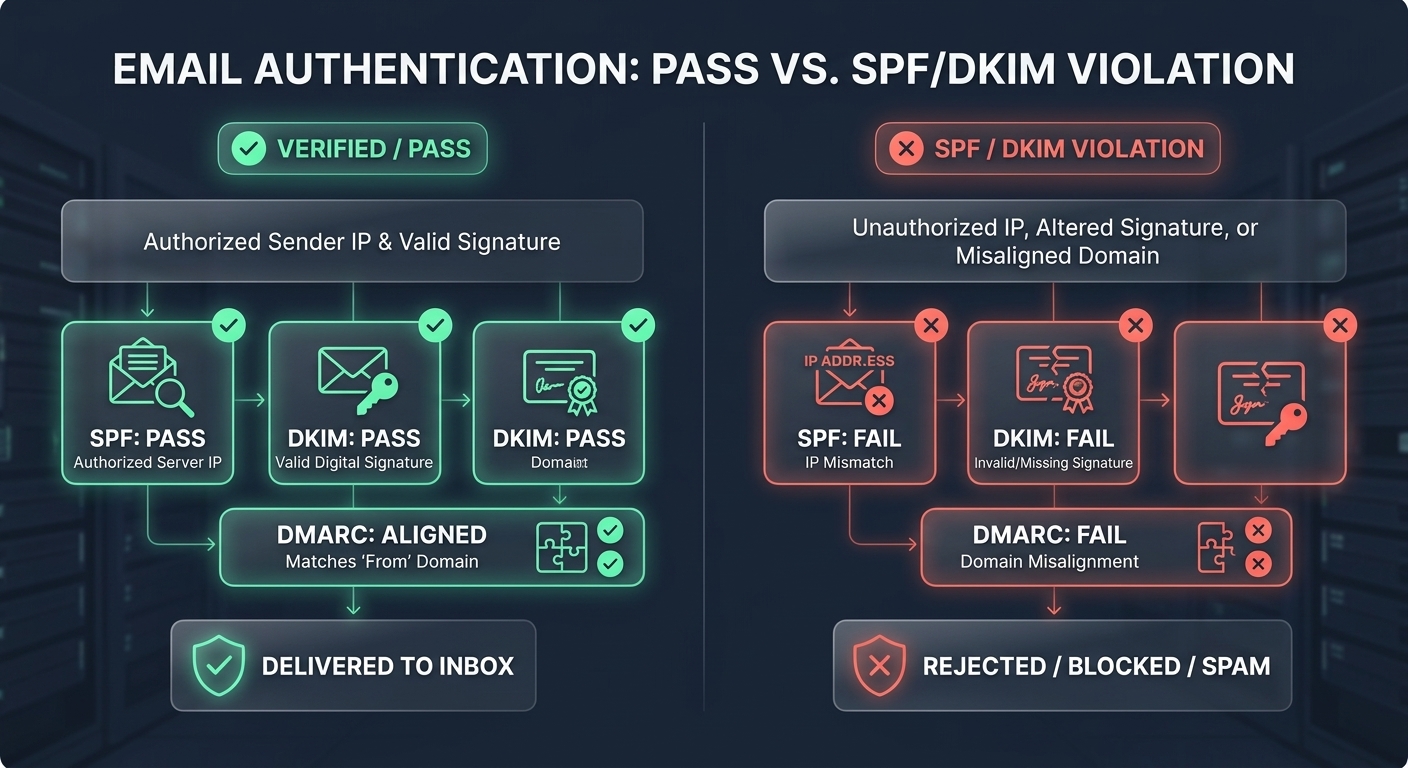
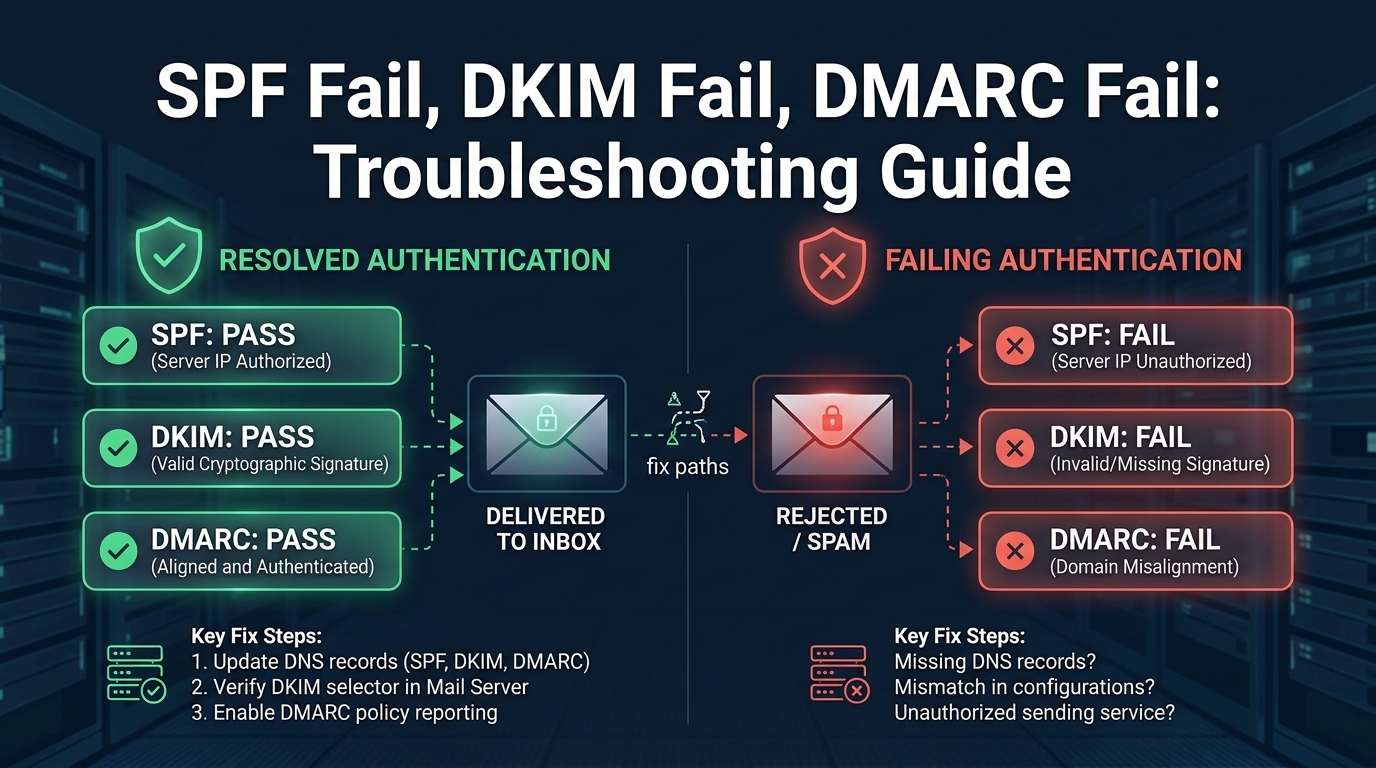
An SPF DKIM violation occurs when an email fails the authentication checks used by receiving mail servers to verify the sender's identity. SPF (Sender Policy Framework) checks whether the sending server is authorized to send email for a domain, while DKIM (DomainKeys Identified Mail) verifies the digital signature attached to a message. When these checks fail, or when the results do not align with the sender's domain under DMARC, services such as Outlook and Gmail may reject the message, block delivery, or send it to spam.
Understanding the difference between SPF, DKIM, and DMARC is important when troubleshooting rejected emails, especially when legitimate messages suddenly stop reaching recipients.
Still Rejected?
If your emails are still being rejected after configuring SPF and DKIM, the problem may be related to DMARC authentication.
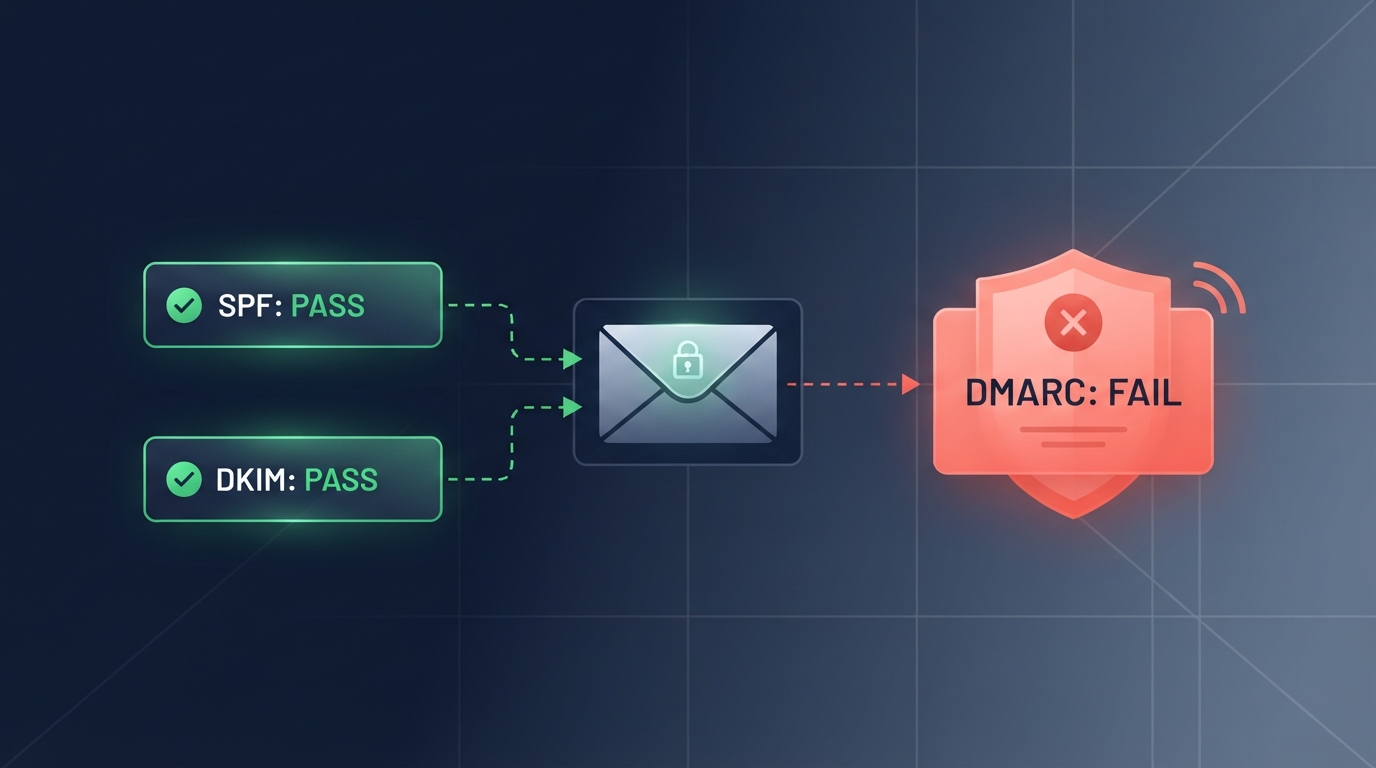
One common situation occurs when both SPF and DKIM show a passing result, but the receiving server still rejects the message because neither authentication method aligns with the domain in the visible From address.
Another possibility is that your domain has SPF and DKIM records but no DMARC record. Some Microsoft consumer email services have reported rejection errors involving a missing DMARC record, including the AS9031519 error. However, this error does not always have the same cause, so checking the complete authentication results is important.
Before changing your DNS records, check the following:
-
SPF: Does the sending server appear in your domain's SPF record?
-
DKIM: Is the outgoing message signed with a valid DKIM signature?
-
DMARC: Does your domain have a published DMARC TXT record?
-
Domain alignment: Does the authenticated SPF or DKIM domain match the domain used in the From address?
-
DNS: Are the records published correctly and publicly accessible?
If you use Microsoft 365, Google Workspace, Outlook, or another email provider, make sure every service sending messages on behalf of your domain is properly authenticated.
What the Error Means
The message "The message was rejected because of SPF DKIM violation" indicates that the receiving email server could not establish the required authentication for the incoming message.
A related error sometimes appears as:
550 5.7.1 Message rejected. Message lacks SPF, DKIM, DMARC auth records (AS9031519)
This type of rejection can indicate missing or unsuccessful authentication records. The exact cause depends on the receiving server's checks and the message's authentication results.
Here is what each authentication method does:
SPF (Sender Policy Framework)
SPF identifies which mail servers are authorized to send emails using your domain. It works through a DNS TXT record that contains approved sending sources.
For example, a Microsoft 365 domain might publish:
v=spf1 include:spf.protection.outlook.com -all
This authorizes Microsoft's listed sending infrastructure, provided Microsoft 365 is the only service sending mail for the domain. Other legitimate senders must also be accounted for.
DKIM (DomainKeys Identified Mail)
DKIM adds a digital signature to outgoing email messages. The receiving server retrieves the corresponding public key from DNS and checks whether the signature is valid.
If the signature is missing, incorrect, or invalidated by changes to the message, DKIM authentication may fail.
DMARC (Domain-based Message Authentication, Reporting, and Conformance)
DMARC connects SPF and DKIM authentication to the domain shown in the sender's From address.
Importantly, DMARC does not require both SPF and DKIM to pass. At least one must pass and align with the From domain for DMARC to pass.
For example, SPF might pass for a sending service's domain, but fail alignment with the visible From domain. The same can happen with DKIM if its signing domain does not match.
This explains why an email can show SPF pass and DKIM pass but still receive a DMARC failure.
The Fix: Publish a DMARC Record
If your domain does not have a DMARC record, publishing one is an important step in resolving authentication-related rejection errors.
Start with a monitoring policy rather than immediately rejecting unauthenticated messages.
For example, if your domain is example.com, add the following DNS TXT record:
Record name:_dmarc.example.com
Record type:TXT
Record value:v=DMARC1; p=none; rua=mailto:[email protected]
This record tells receiving servers to monitor DMARC authentication without requesting that failed messages be quarantined or rejected. The reporting address should be a working mailbox configured to receive DMARC aggregate reports.
Follow these steps:
-
Log in to your domain registrar or DNS hosting provider.
-
Open the DNS management section for
example.com. -
Add a new TXT record with the name
_dmarc. -
Enter
v=DMARC1; p=none; rua=mailto:[email protected]as its value. -
Save the record and allow time for DNS propagation.
-
Check the published record using a DNS lookup tool.
-
Send a test email to an external Gmail or Outlook address.
-
Review the message headers for SPF, DKIM, and DMARC authentication results.
Once legitimate sending sources consistently pass authentication and alignment, you can consider moving to p=quarantine and eventually p=reject. Do not change enforcement policies until you have reviewed your reports and confirmed that legitimate senders are covered.
You should also review your SPF and DKIM configuration if either authentication method is failing. A missing DMARC record is not a substitute for fixing an incorrect SPF record or invalid DKIM signature.
For help understanding and generating the required DNS records, see our SPF, DKIM and DMARC generator.
Related Email Authentication Topics
-
SPF, DKIM and DMARC checker: Use an authentication checker to inspect your domain's DNS records and identify configuration errors.
-
How to set up SPF, DKIM and DMARC: Publish the appropriate DNS records and configure your email provider to authenticate outgoing messages.
-
What are SPF, DKIM, and DMARC? These are three complementary email authentication methods that help prevent spoofing and improve email security.
-
SPF, DKIM and DMARC for Office 365: Microsoft 365 users should configure SPF, enable DKIM signing, and publish a DMARC record for their sending domain.
-
SPF, DKIM, and DMARC explained in simple terms: SPF checks who can send, DKIM verifies the message signature, and DMARC checks whether the authentication aligns with the sender's domain.
-
SPF or DKIM authentication: A message can pass DMARC when either SPF or DKIM passes and aligns with the visible From domain.
-
SPF and DKIM meaning: SPF authorizes sending servers, while DKIM verifies the authenticity of signed messages.
-
550 5.7.1 message rejected because the message lacks SPF, DKIM, DMARC auth records AS9031519: This error can indicate missing or unsuccessful email authentication. Check all three DNS records and review the receiving server's diagnostic details.